Time & payroll
Hours in. Payroll out.
Crews clock in from their phone and fix their own missed punches. You get weekly timesheets with overtime split out, and payroll totals for every pay period, ready for whoever runs payroll.
- Phone time clock
- Overtime split out
- Payroll by period
The time clock
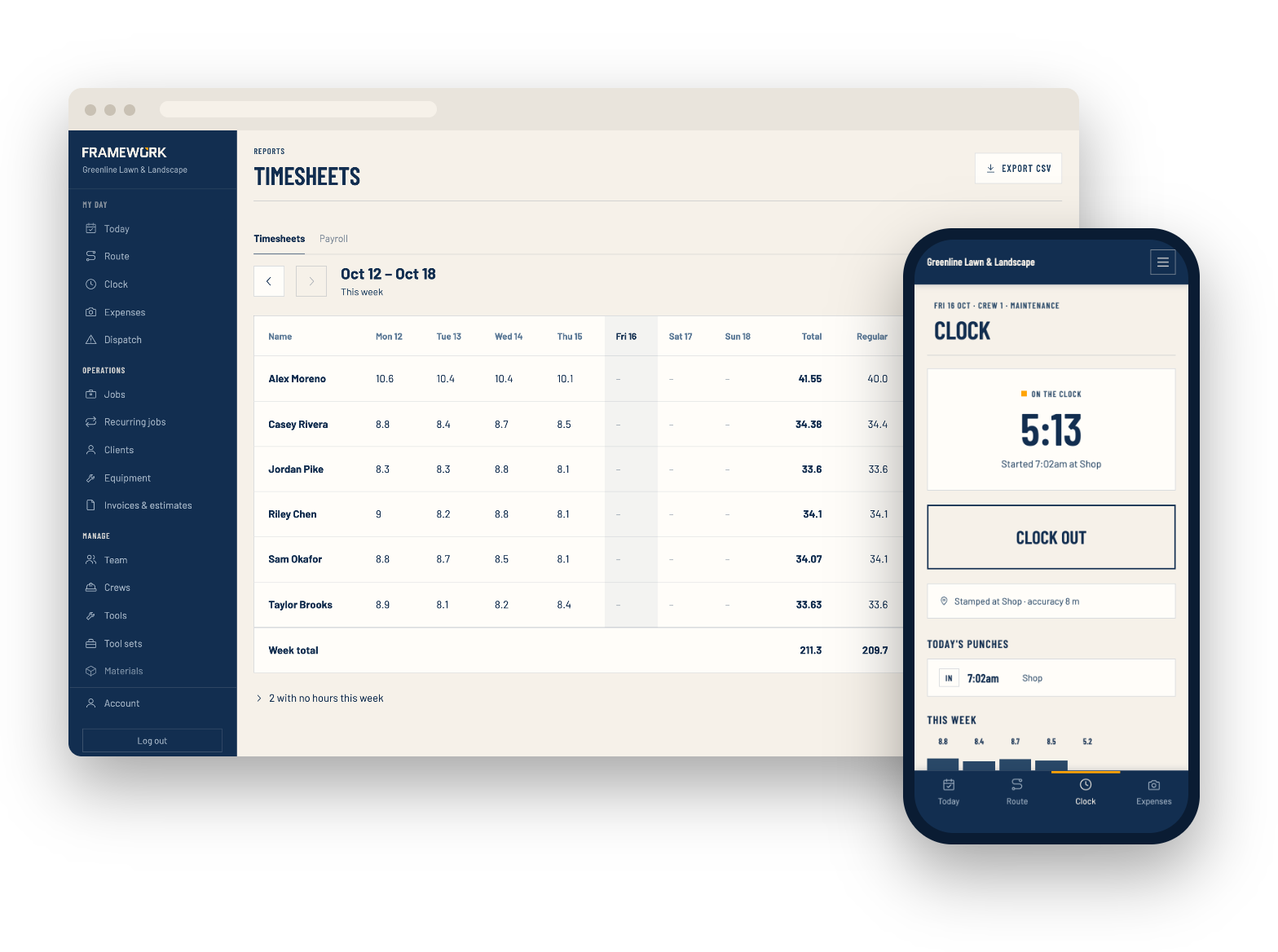
One tap to clock in
Crews clock in and out with one big button on their phone, and see a running timer, today's punches and the week's hours so far. No signal? The tap is saved and sent later with the time it was made.
- Optional: only allow clock-in at the shop, with the location stamped
- Crews add a missed shift or fix a wrong one, and each change shows who made it
- Submitting the week locks it in
- Crews see their hours, never pay rates
Timesheets
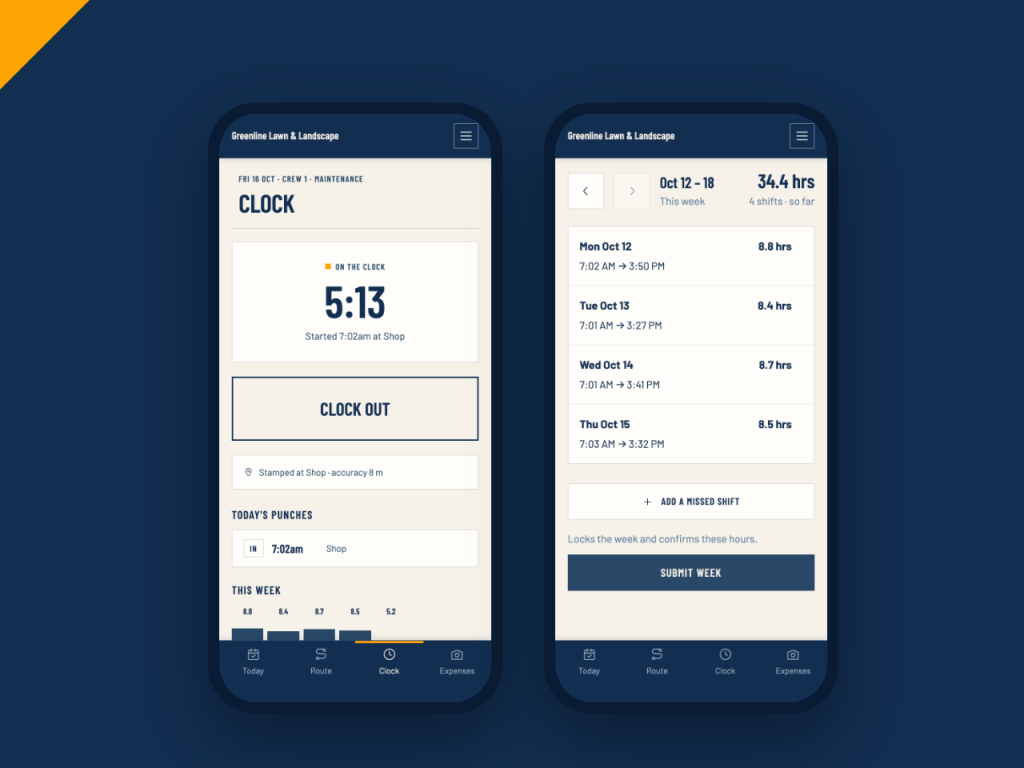
Everyone's week on one screen
Each person's hours day by day, with the week's total, regular and overtime hours and labor cost. Submitted weeks wait at the top for you to approve, or send back with a note.
- Optional overtime, split by the daily and weekly limits you set
- Shifts of 12 hours or more are flagged so you can check them
- Pay rates are locked in at clock-out, so a raise doesn't rewrite past weeks
- Export any week to CSV
Payroll
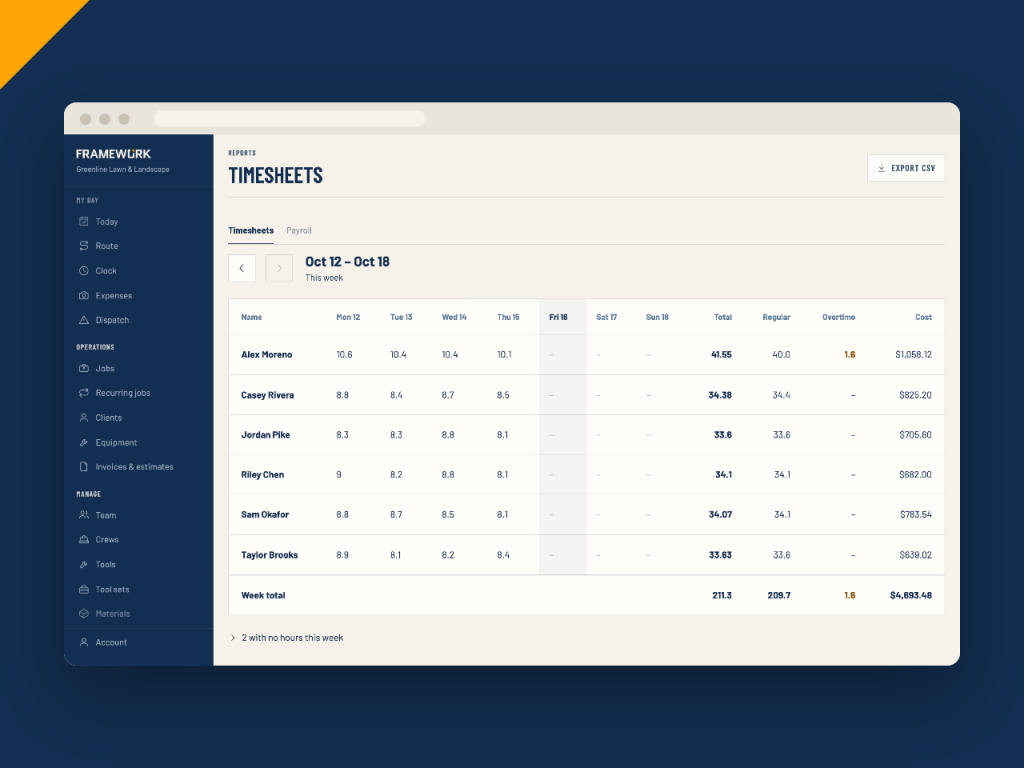
Totals for every pay period
Pay weekly, every two weeks, twice a month or monthly. Framework totals each person's regular, overtime and paid time off hours with their rate and gross pay, ready to export for your payroll service or accountant.
- Overtime at time and a half
- Approved paid time off counted in
- Export the whole period to CSV
- Give your bookkeeper an Accounting login to see timesheets and payroll
Time off
Time off without the text messages
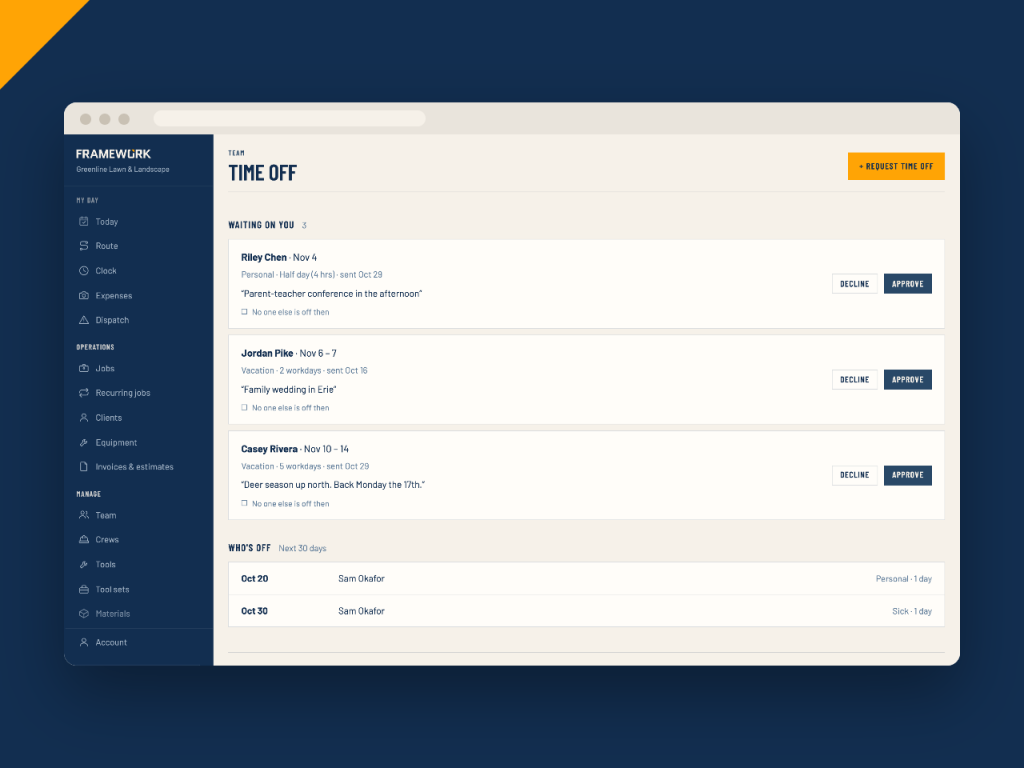
Crews ask for vacation, sick, personal or unpaid days in the app, including half days. You approve or decline, and see who else is off at the same time.
- Yearly vacation, sick and personal allowances per person, with days left
- Who's off today shows on the dispatch board
- A warning when you schedule a crew while someone on it is off
- Paid days off show up in payroll
Also included
The details that keep hours honest
Who's on site
When a crew starts a job, they tick who's actually there, so the job's labor cost counts the right people.
Late clock-in alerts
Someone who hasn't clocked in 15 minutes after their first job gets a nudge. At 45 minutes, the office hears about it too. Works with notifications turned on.
QuickBooks Time sync
Connect QuickBooks Time and each finished shift is sent over, coded to the job it was spent on.
Pay rates kept private
Pay rates are encrypted, and crews never see pay or labor cost.
Edit history
Changes to punches are logged with who made them and when.
Labor in your numbers
Labor cost, overtime and paid time off feed straight into the monthly financial overview.
Time & payroll questions
Stop chasing timesheets
Crews clock in from their phone, and the payroll totals are ready when the period ends.