Clients & the office
Your office, sorted.
Each client's jobs, invoices, contacts and history on one page. New requests come in from your website as leads, and everyone in the office gets a login that shows them what they need.
- Full client history
- Leads from your website
- Roles for the office
Client pages
The whole story on one page
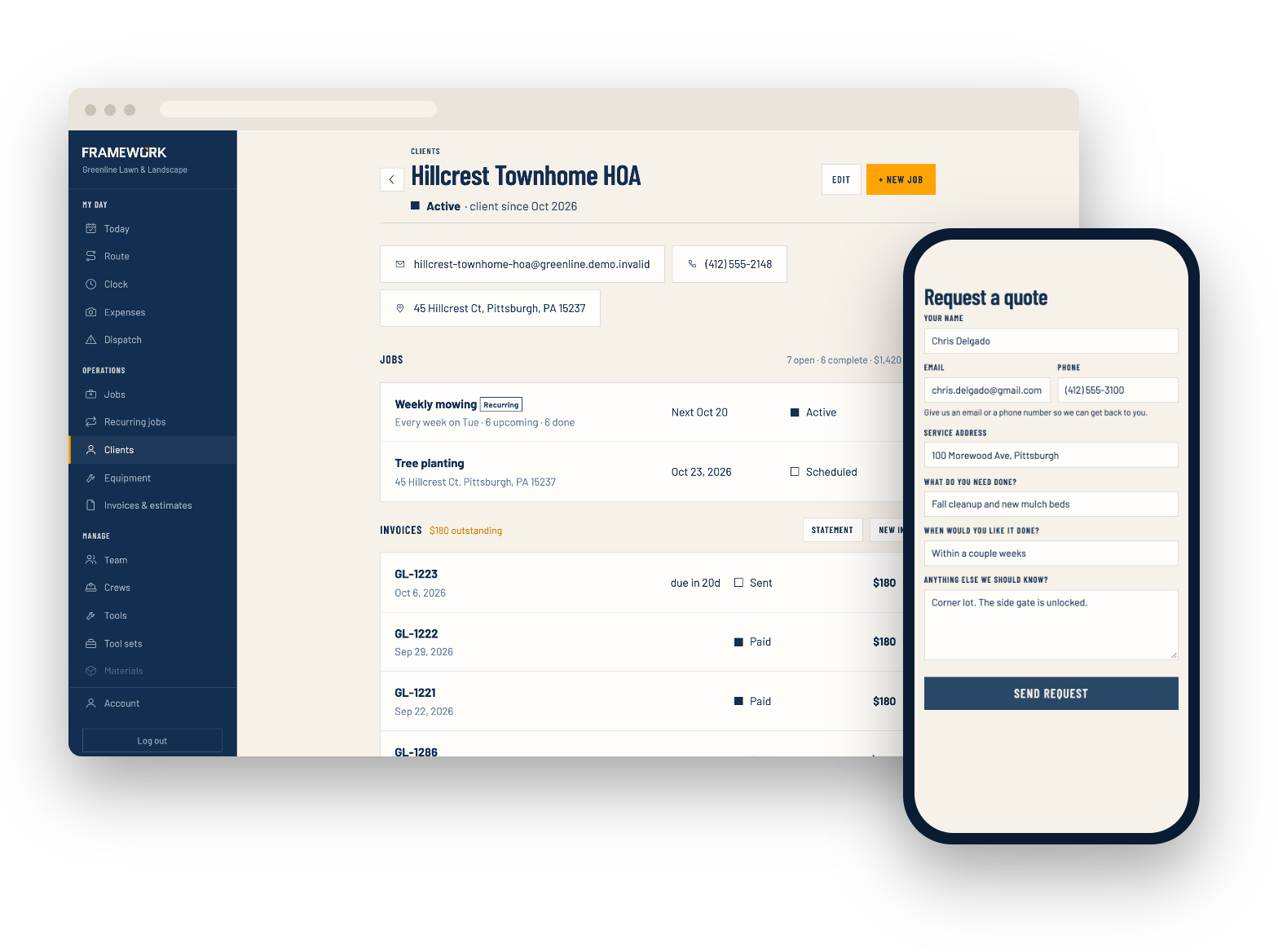
Open a client and see their jobs, what they've spent with you and what they still owe. A timeline keeps everything that's happened: visits booked and finished, estimates and invoices sent and paid, and the office's own notes.
- Log calls, site issues and billing notes on the timeline
- Send a statement of everything a client owes
- More than one address for clients with several properties
- Extra contacts, like a property manager, who get scheduling or invoice emails
Leads & your client list
New work lands in your list
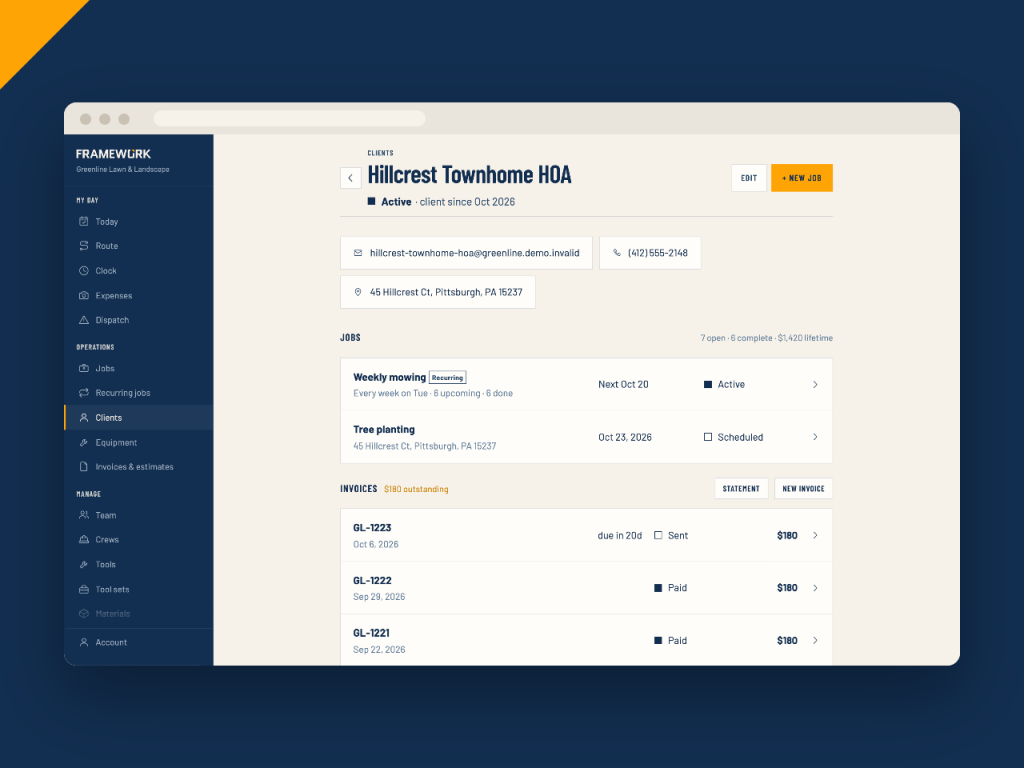
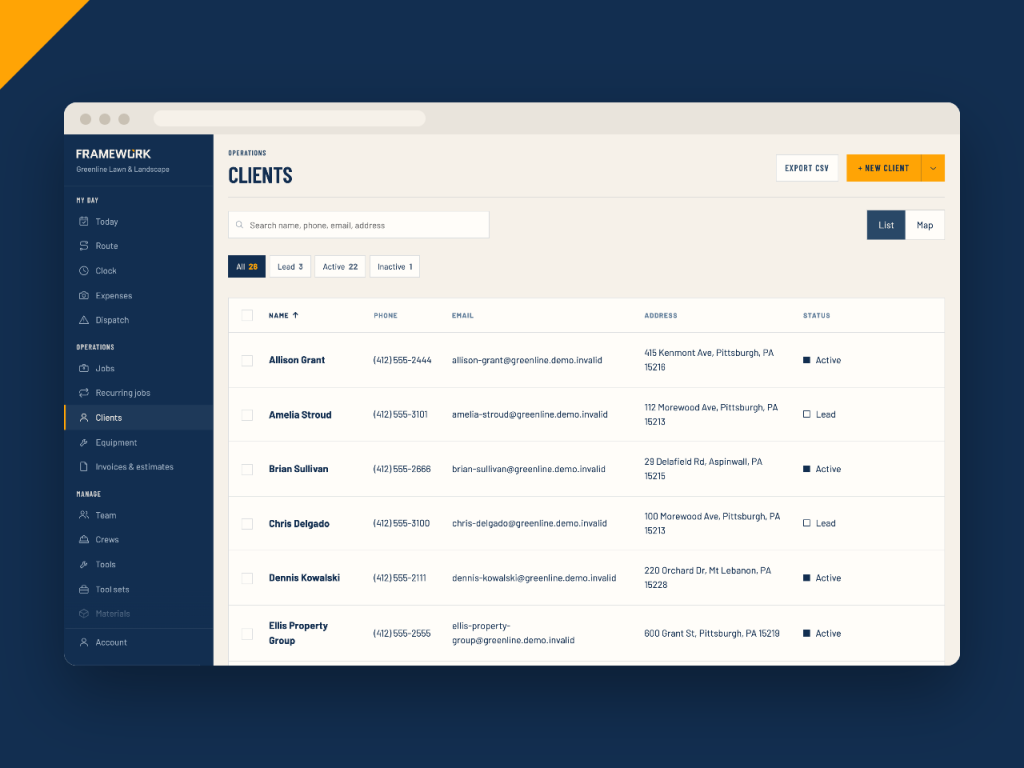
Put a request form on your website or Google profile. Each request comes in as a lead in your client list, and you get an email about it.
- Embed the form on your website, in your own colors
- Bring your client list over from a CSV, with duplicates skipped
- Search, filter by status and see every client on a map
- Export your list to CSV any time
Financial reports
Know which work makes money
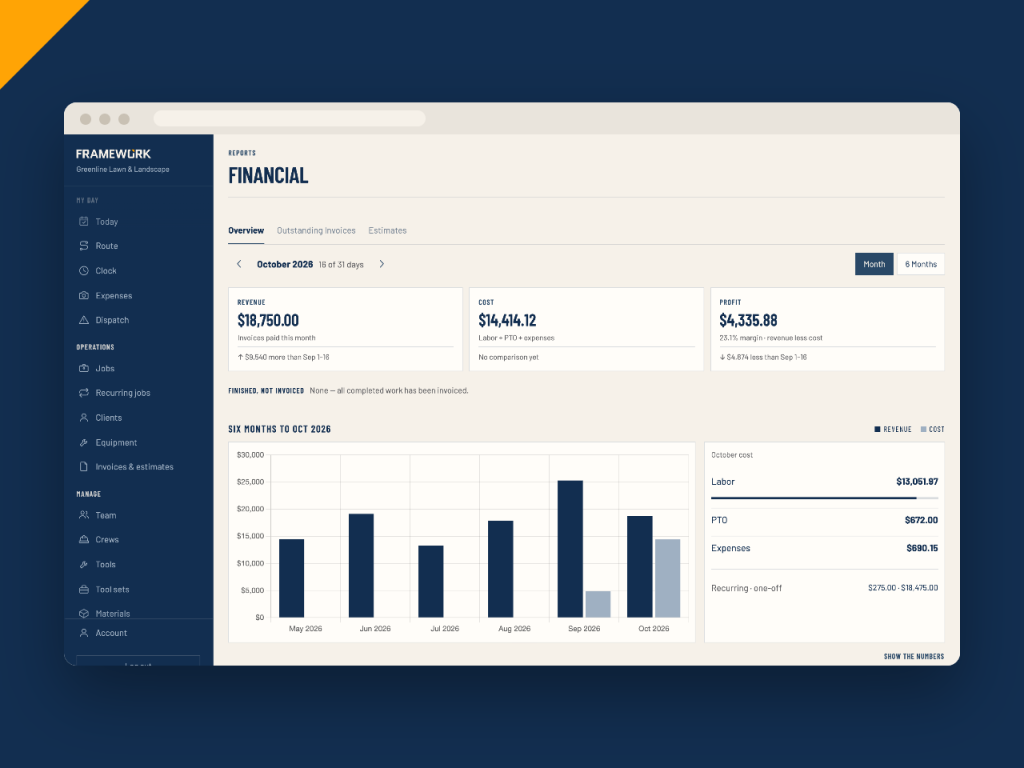
Revenue, cost and profit for every month, with labor and expenses counted in. See jobs ranked by margin, and break the month down by client, crew or service.
- Finished work that hasn't been invoiced yet
- Outstanding invoices and how late they are
- Estimate close rate by month
- Sales tax collected by month and quarter
Your team
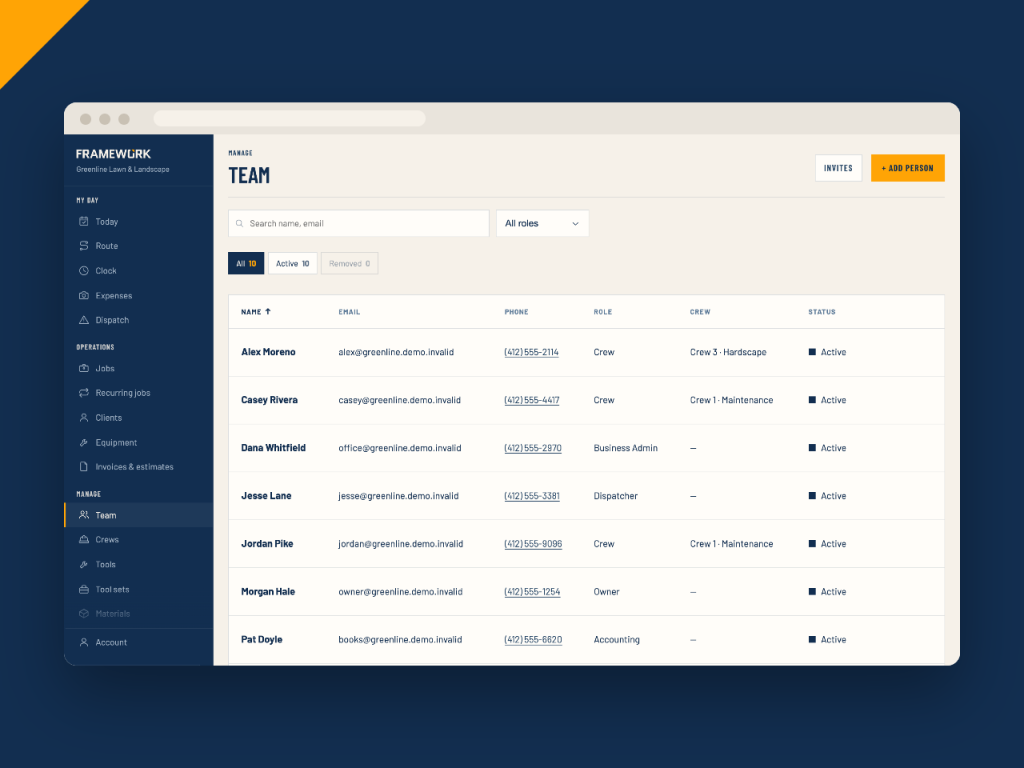
A login for everyone in the office
Invite people by email and pick a role. Each role sees what it needs, so a dispatcher never sees the money and your bookkeeper can't move the schedule.
- Owners and admins manage the whole business
- Supervisors and dispatchers see every job, client and the dispatch board, but no billing
- Accounting sees invoices, reports, expenses and payroll, but not the schedule
- Crews get the crew app
Also included
Office tools that save a phone call
Client portal
Optional. Clients sign in with a link sent to their email to see their jobs, ask for more work and pay their invoices.
Receipts & expenses
Anyone can log a receipt from their phone. Tag it to a job and it counts toward that job's cost.
Audit log & trash
See who added, changed or deleted any job, invoice or client, and what changed. Deleted records can be restored.
Two-step sign-in
Anyone can turn on emailed sign-in codes for their account, and trust their own devices for 30 days.
Undo
Moved a visit or deleted something by mistake? Undo it right from the message that pops up.
Client & office questions
Run the office from one place
Clients, leads, money and your whole team, all in Framework.