Estimates & invoices
Quote it. Sign it. Get paid.
Send estimates customers can choose from and sign on their phone, take a deposit before the work starts, and get paid online when it's done. Switch on reminders and overdue invoices chase themselves.
- E-signatures
- Card payments
- Payment reminders
Estimates
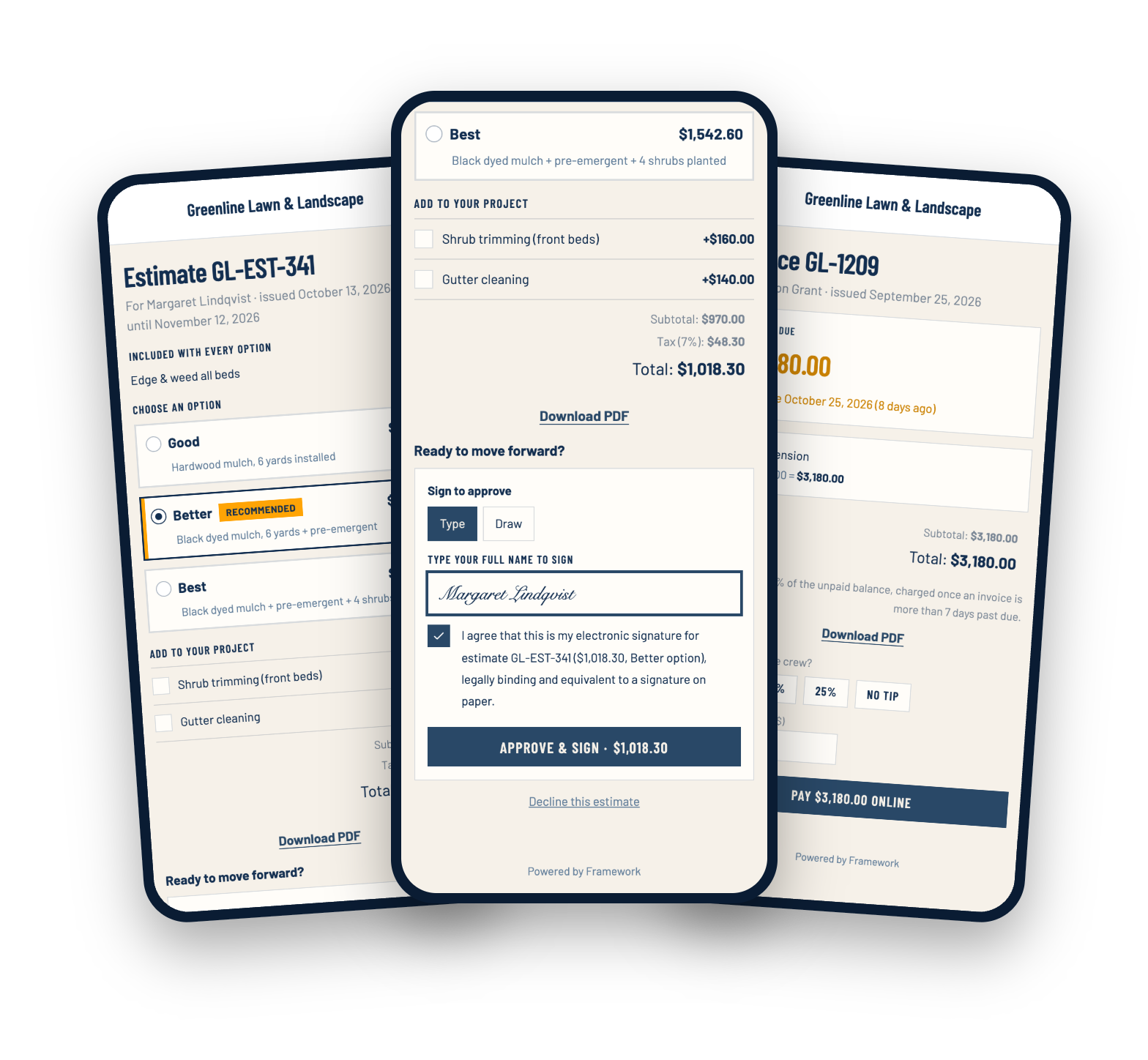
Give them a choice, not a take-it-or-leave-it
Build good, better and best options on one estimate, mark the one you recommend, and add optional extras. Customers pick on their phone and the total updates as they go.
- Good, better and best packages, with your pick pre-selected
- Optional add-ons customers can tick
- Discounts by percentage or dollar amount
- A valid-until date on each estimate, a month out by default
Approval
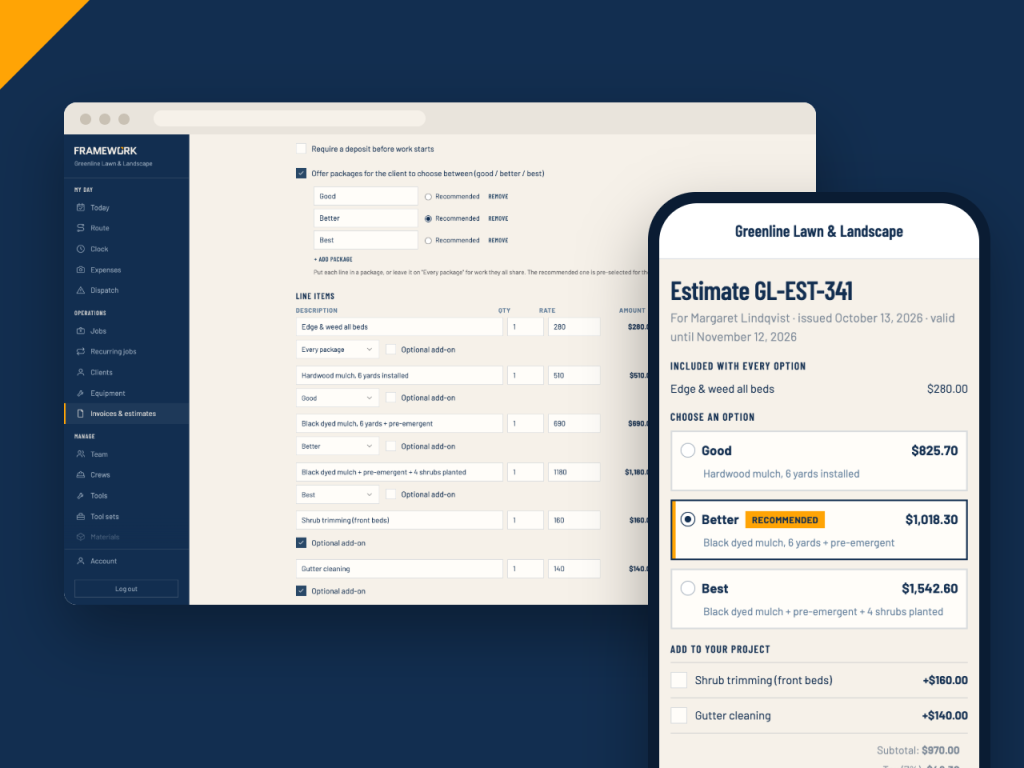
Signed and deposited before you break ground
Customers approve by typing or drawing their signature. Ask for a deposit and they pay it right there, then take it off the final invoice when you bill the work.
- Typed or drawn signature, with a record of what they agreed to
- Deposits as a percentage or a fixed amount
- Apply the paid deposit to the final invoice
- Turn an approved estimate into a job, already filled in
Invoices
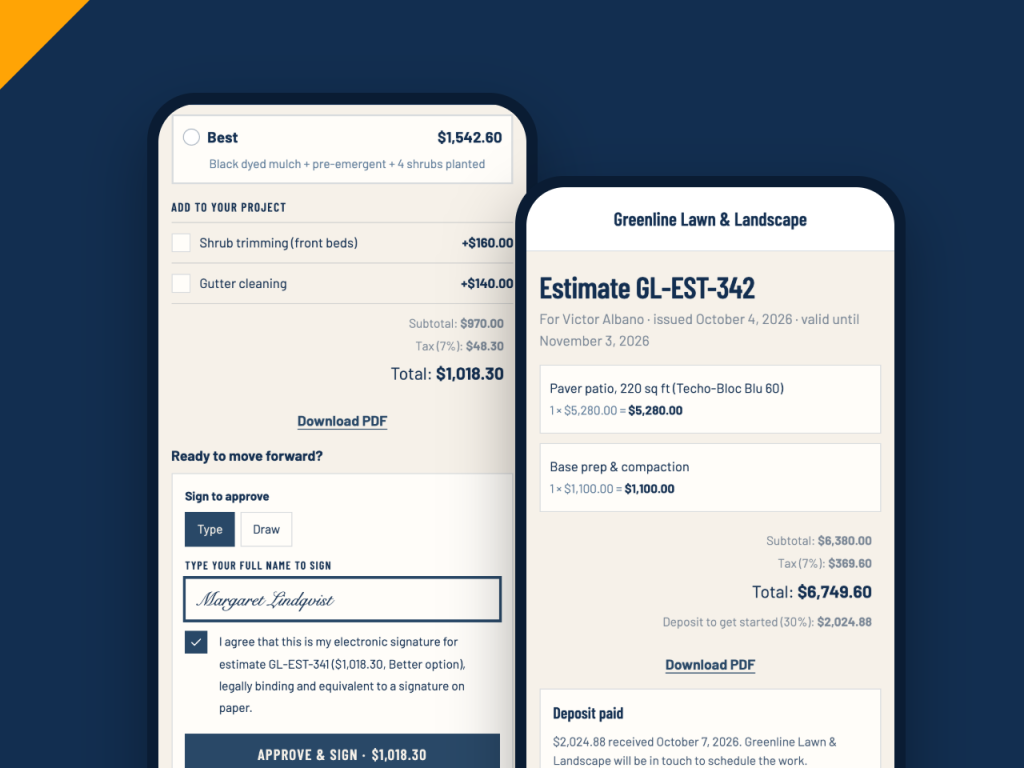
Get paid the day the work is done
Every invoice has its own payment link. Customers pay by card online and can add a tip for the crew, and you can see when they've opened it.
- Card payments through your own Stripe account
- An optional tip for the crew
- See when the customer opened the invoice
- Any invoice or estimate as a PDF
Getting paid
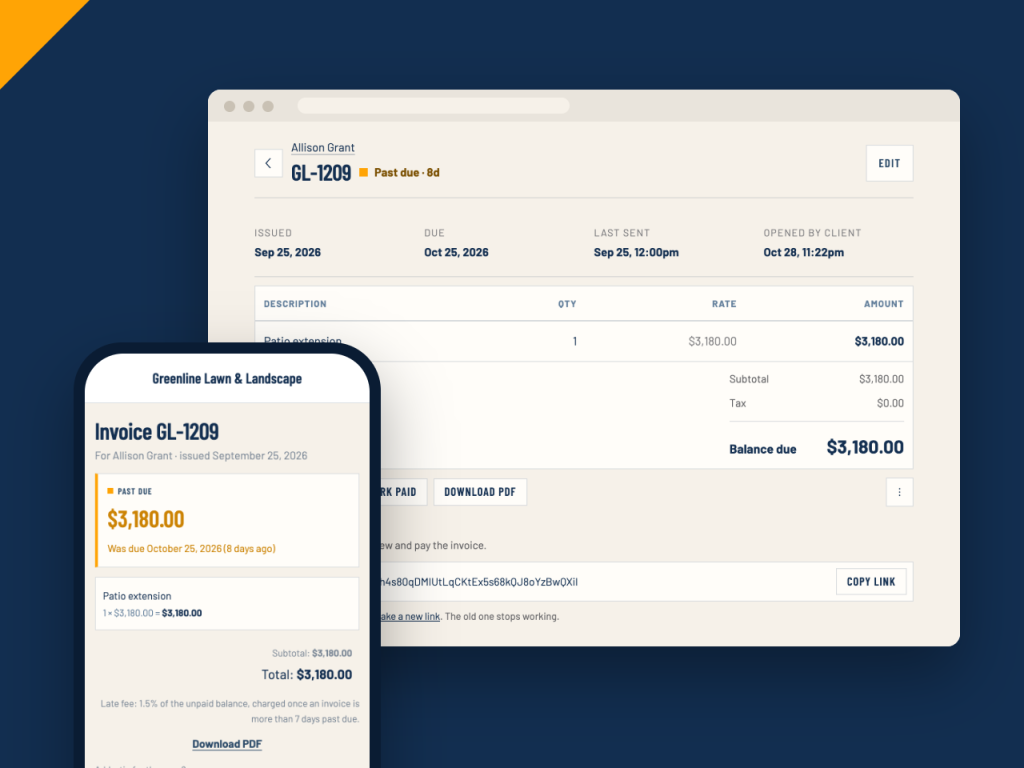
Stop chasing payments
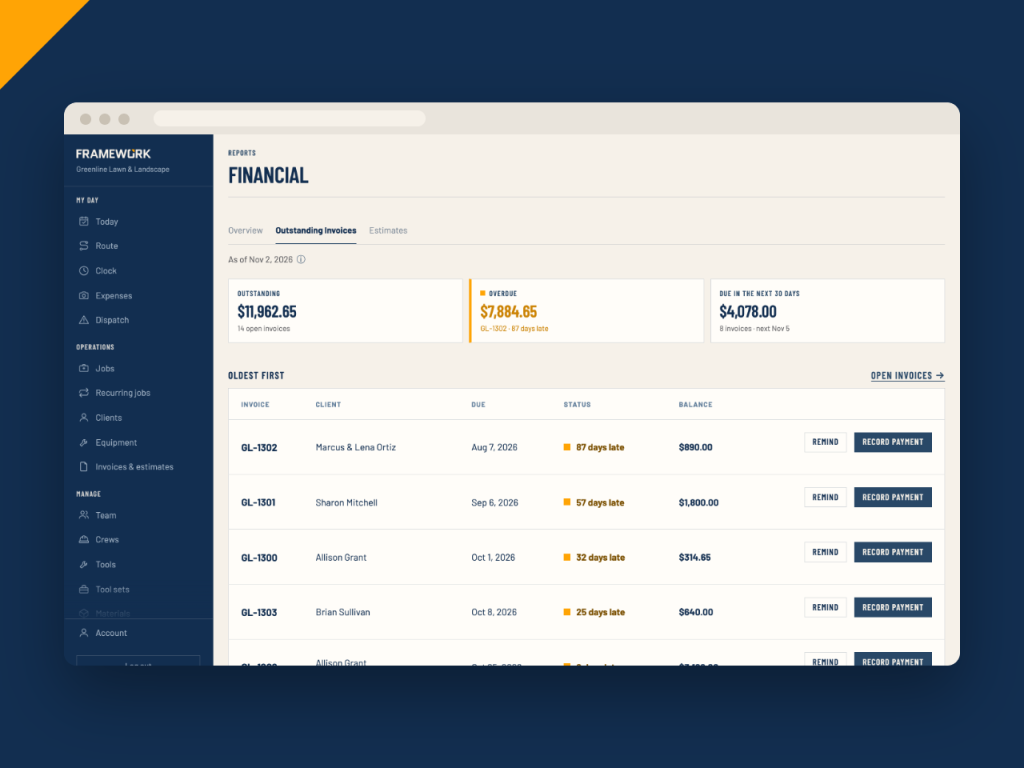
Overdue invoices can email the customer a reminder on a schedule you set, and a late fee can be added after a grace period. The outstanding report shows who owes what, oldest first.
- Optional reminder emails on the interval you pick, up to a limit you choose
- Late fees once or monthly, and you can waive them
- Remind or record a payment straight from the list
Also included
Less time on the books
Recurring visits bill themselves
Weekly or monthly work can create its own invoices as visits are finished.
Batch invoicing
Put every client's completed, unbilled jobs onto one draft invoice each, in one go.
QuickBooks Online sync
Invoices, payments and voids can push to QuickBooks automatically.
Customer portal
Turn on the portal and customers can sign in to see their invoices and jobs, and ask for new work.
Refunds stay in sync
Refunds made in Stripe show on the invoice, and QuickBooks is updated too when auto-sync is on.
Export to CSV
Download your invoice list, filtered the way you need it.
Estimates & invoices questions
Send your next estimate from Framework
Build it, send it, get it signed and get paid, all from one place.