Scheduling & dispatch
Every crew, every job, one screen.
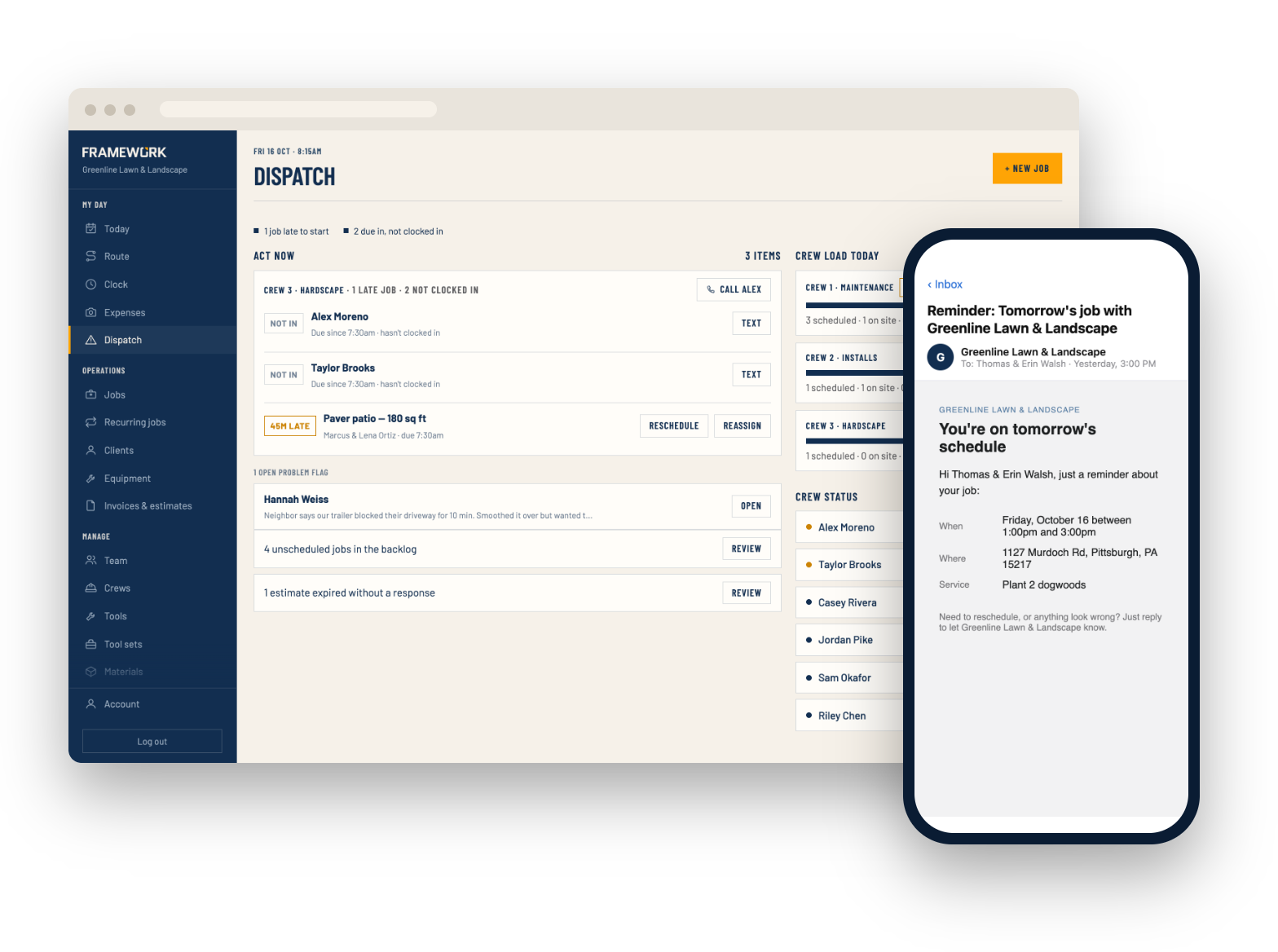
See the month on a calendar, open the dispatch board to see what's late or unassigned right now, and fill each crew's day without the guesswork. Customers get a reminder with their arrival window.
- Calendar & map views
- Dispatch board
- Recurring jobs
Planning
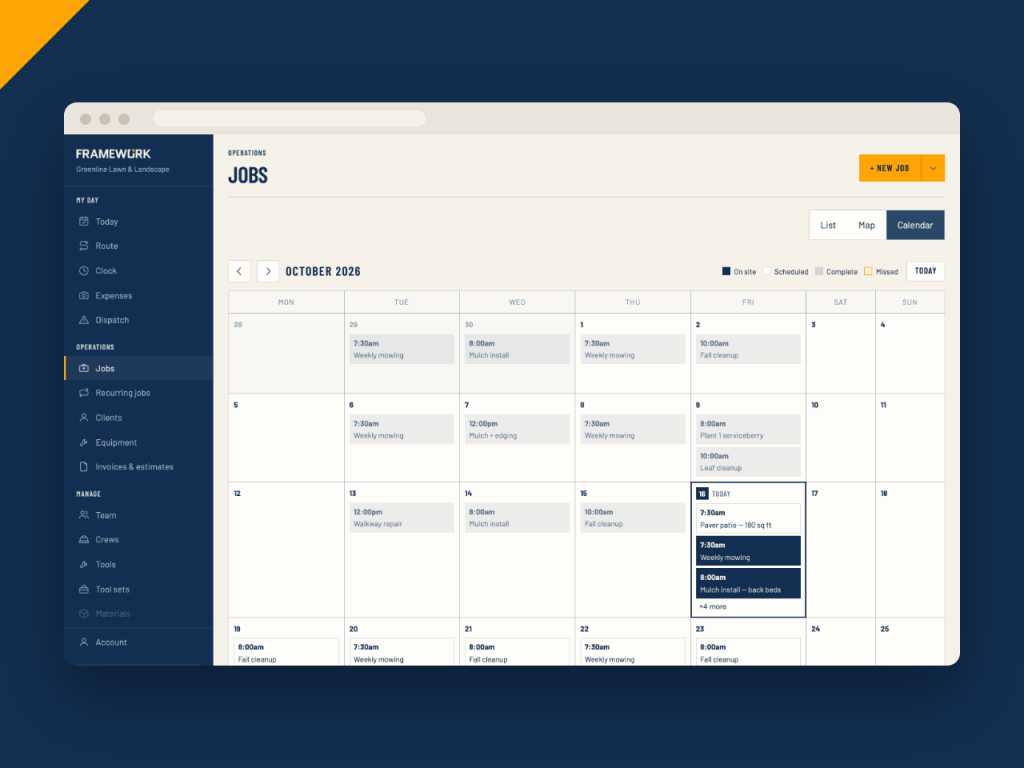
The whole month in one view
See every job as a list, on a map or on a calendar, and filter or search the list. Book a job with an arrival window instead of a promise to the minute, and see how many jobs each crew already has that day as you pick one.
- List, map and calendar views of the same jobs
- Arrival windows: two hours, four hours, morning, afternoon or all day
- More than one crew on a job when it needs the hands
- Check the forecast for that address before you book
Dispatch
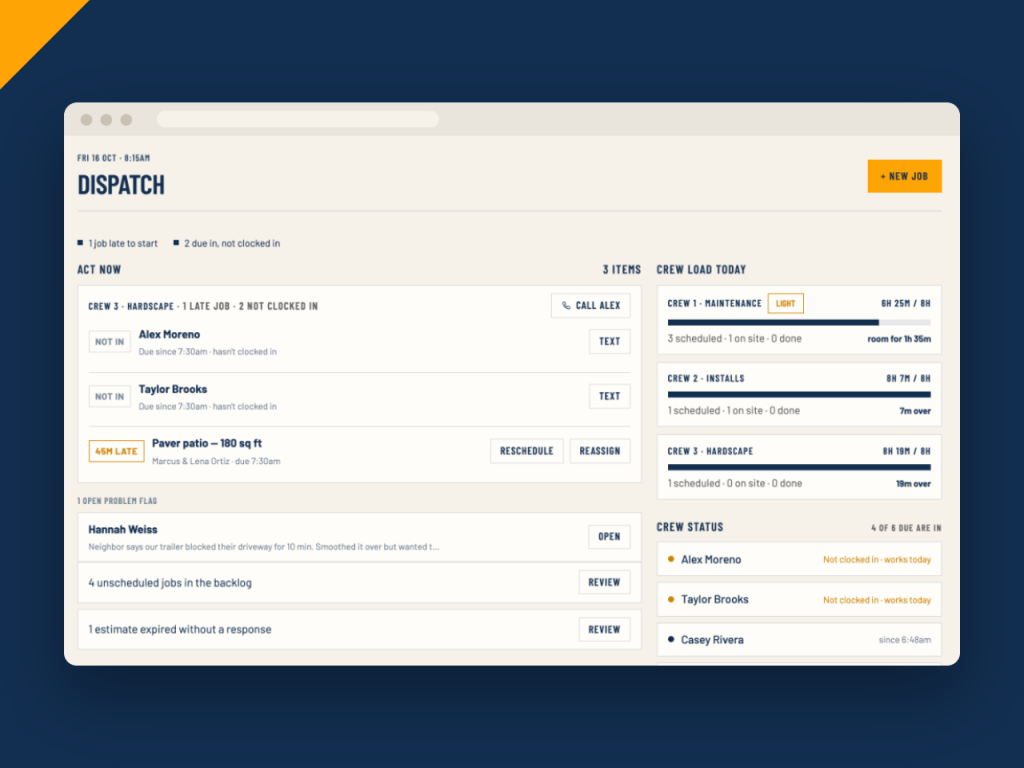
Problems show up before the phone rings
The dispatch board puts what needs you right now at the top: jobs late to start, crew who haven't clocked in, problems flagged from the field, and work still waiting for a date. Call or text the crew right from the board, assign a crew to unassigned jobs, or jump straight to a job to reschedule it.
- Late jobs and missing clock-ins, grouped by crew
- Each crew's booked hours against a full day
- Problems the crew flagged, with their note
- Unscheduled jobs and expired estimates waiting on you
Smart schedule
Fill a crew's day in one click
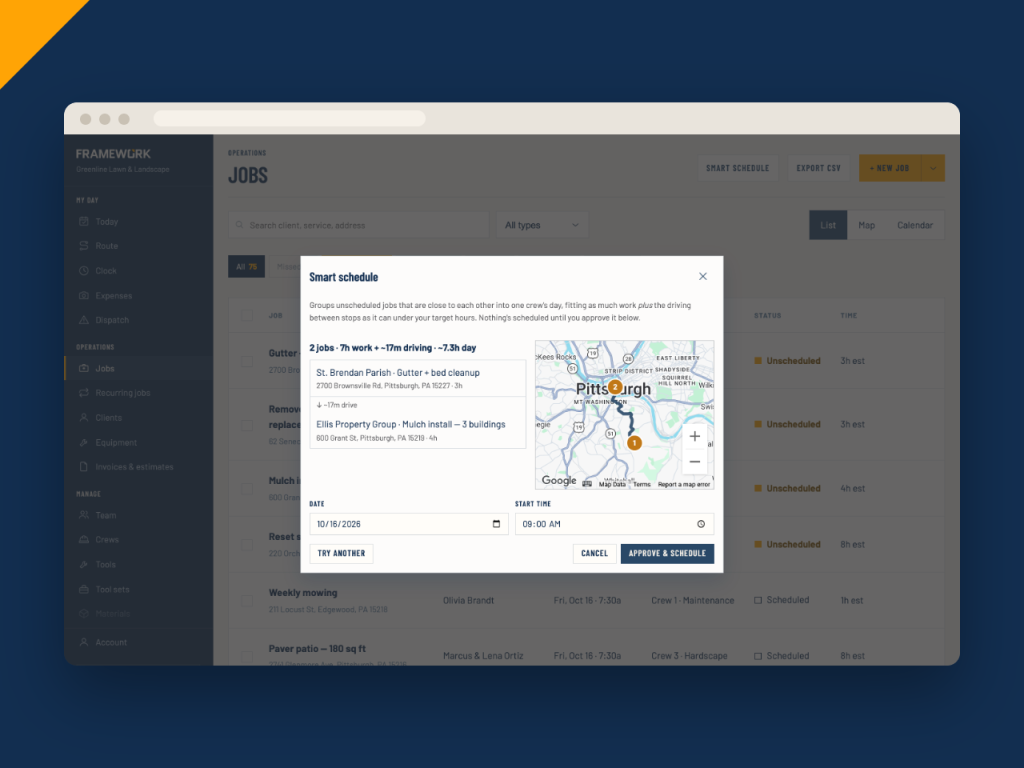
Smart schedule looks at your unscheduled jobs and groups ones that are close together into a single crew's day, counting the driving between stops against the hours you want to fill. Nothing is booked until you approve it.
- Groups nearby jobs to cut windshield time
- Counts drive time, not just job hours
- Favours jobs near the crew's own base when you pick a crew
- Try another suggestion if the first doesn't suit
Recurring work
Weekly work that books itself
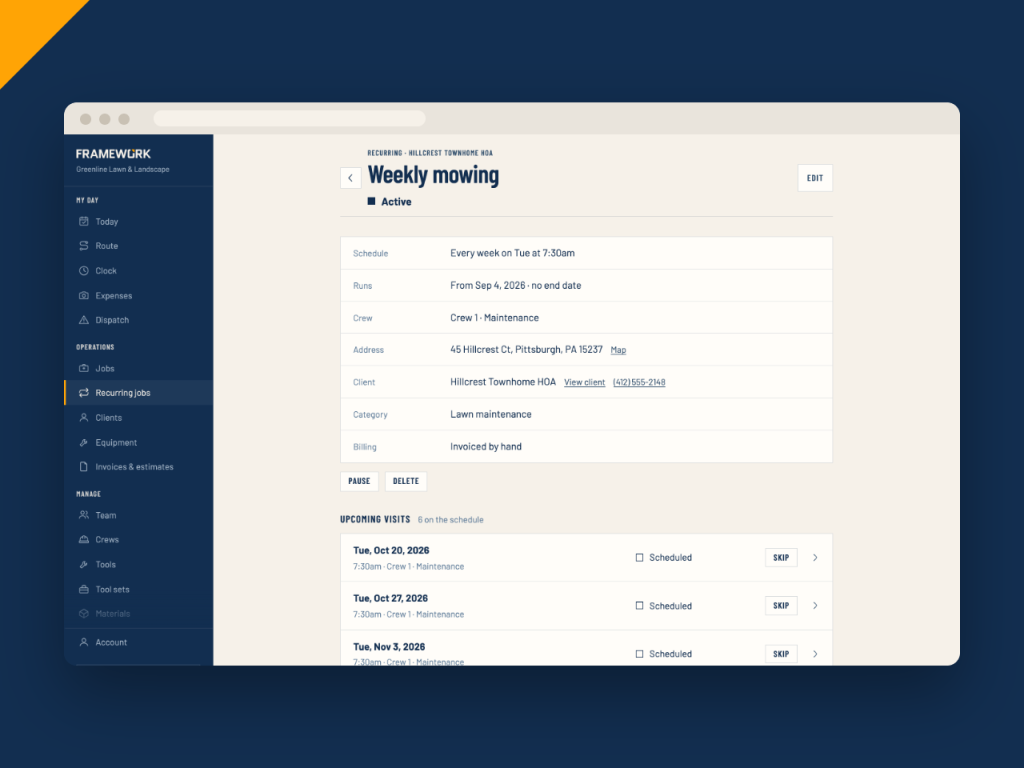
Set up a mowing route or a monthly service once and every visit lands on the schedule with the right crew and time. Skip a single visit, or pause the series for the off-season so no new visits are booked.
- Every week, every few weeks or monthly
- Skip one visit without touching the rest
- Pause and resume a series
- Each finished visit can create its own invoice
Also included
The details that keep the day on track
Customer reminders
An email when a visit is booked and a reminder the day before.
Time-off warnings
Book a job for a crew with someone off that day and you're told before it causes a problem.
Checklists by job type
Pick a category and its tasks, tools and photo list fill themselves in.
Room for more work
The Today page shows which crews have hours to spare, with a button to fill the day.
Change many jobs at once
Select jobs to assign a crew, reschedule or change their status together.
Appointments too
Book estimate visits as appointments, separate from the work itself.
Scheduling questions
Run tomorrow from one screen
Put the month on the calendar, send your crews out, and see what needs you at a glance.