Field service software
Built for the trades. Built on Framework.
Framework schedules the work, guides your crews through it, and gets you paid. One app for the office and the truck.
- Crew app works offline
- Card payments
- QuickBooks sync
What's inside
Everything between the phone call and the payment
Built for landscaping, construction and service crews that run on schedules, routes and invoices.
Scheduling & dispatch
A dispatch board that shows what's late, unassigned or overbooked, recurring visits that schedule themselves, and Smart Schedule to fill a crew's day.
Routes & the map
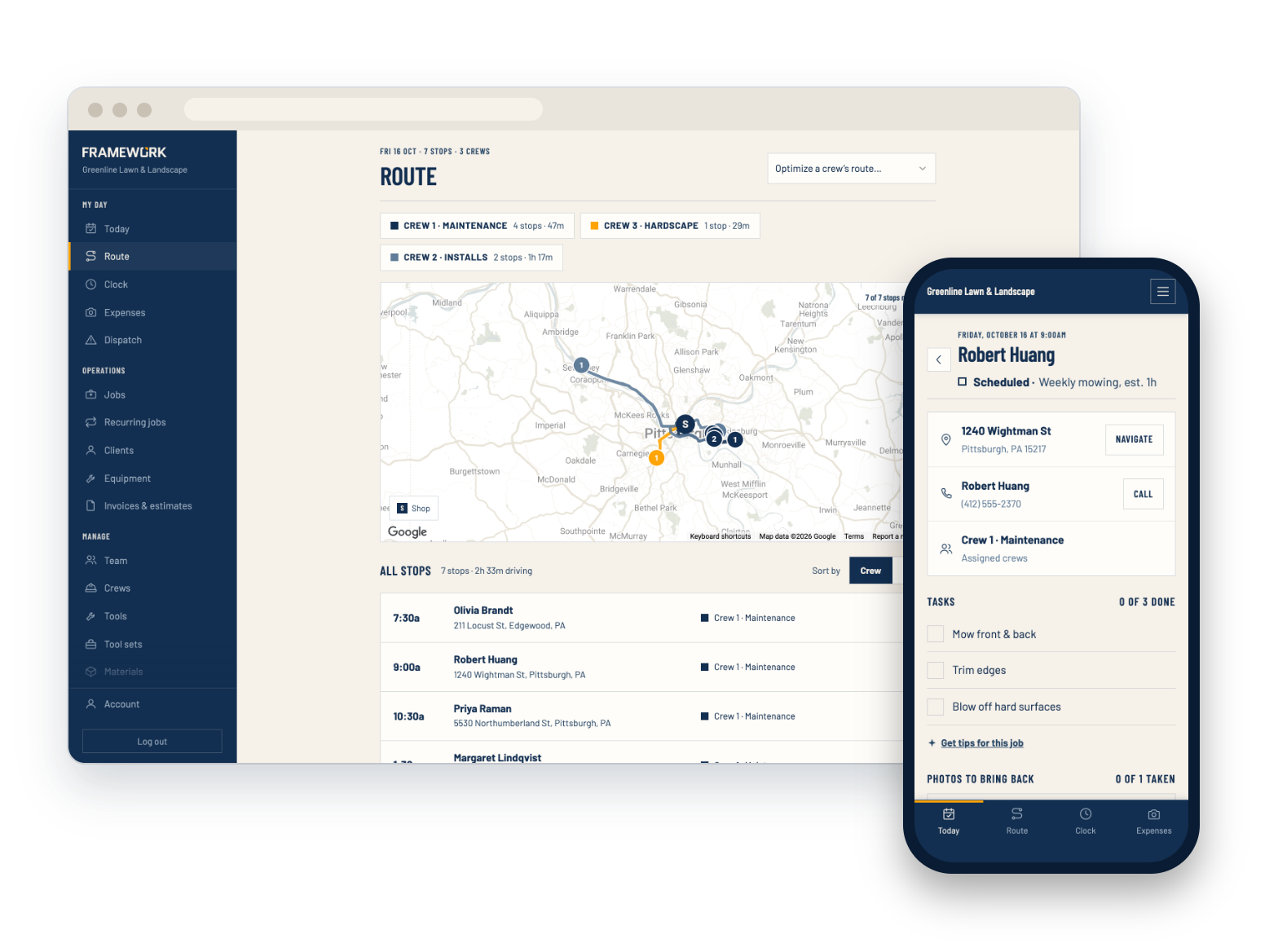
Every crew's day on one map, the stop order with the least driving, and the route on each crew's phone.
A crew app that works offline
Clock in, start jobs, tick off checklists, take photos and check off materials, even with no signal. It syncs when they're back.
Estimates & invoices
Good, better and best options with an e-signature on approval, then card payments online, optional reminders and late fees.
Time, overtime & payroll
Timesheets with optional daily and weekly overtime and approvals, plus time off and a payroll export.
Clients & the office
Every client's jobs, invoices, properties, contacts and history in one place, and a login for each role in your office.
In the field
Built for the crew in the truck
Crews see today's jobs, the route between them and exactly what each job needs. No prices, no invoices, no one else's work.
- Today's jobs and the route, in order
- Checklists and before-and-after photos
- The materials and tools to bring
- Clock in and out, with or without signal

In the office
Know where every job and dollar stands
From the dispatch board to job profit, the office sees the whole business, and the books stay in step.
- Job profit from labor and job expenses
- Outstanding invoices and aging at a glance
- Invoices, payments and time sent to QuickBooks
- An optional client portal for invoices and visits
- A request form for your website that creates leads

How it works
From first call to paid invoice
-
Set up your company
Add your crews, services and price book, and bring your clients over from a CSV export.
-
Schedule the work
Book one-off jobs and recurring visits, then dispatch them to your crews.
-
Get paid
Crews finish the job in the app, and you send the invoice with a pay-online link.
Questions
Get your crews organized
Set up your company and schedule your first job today.