Routes & the map
Less driving. More work done.
See every crew's day on one map, put each crew's stops in the order that drives the least, and send them out with the route on their phone.
- Every crew on one map
- Best stop order
- Drive time tracked
The route board
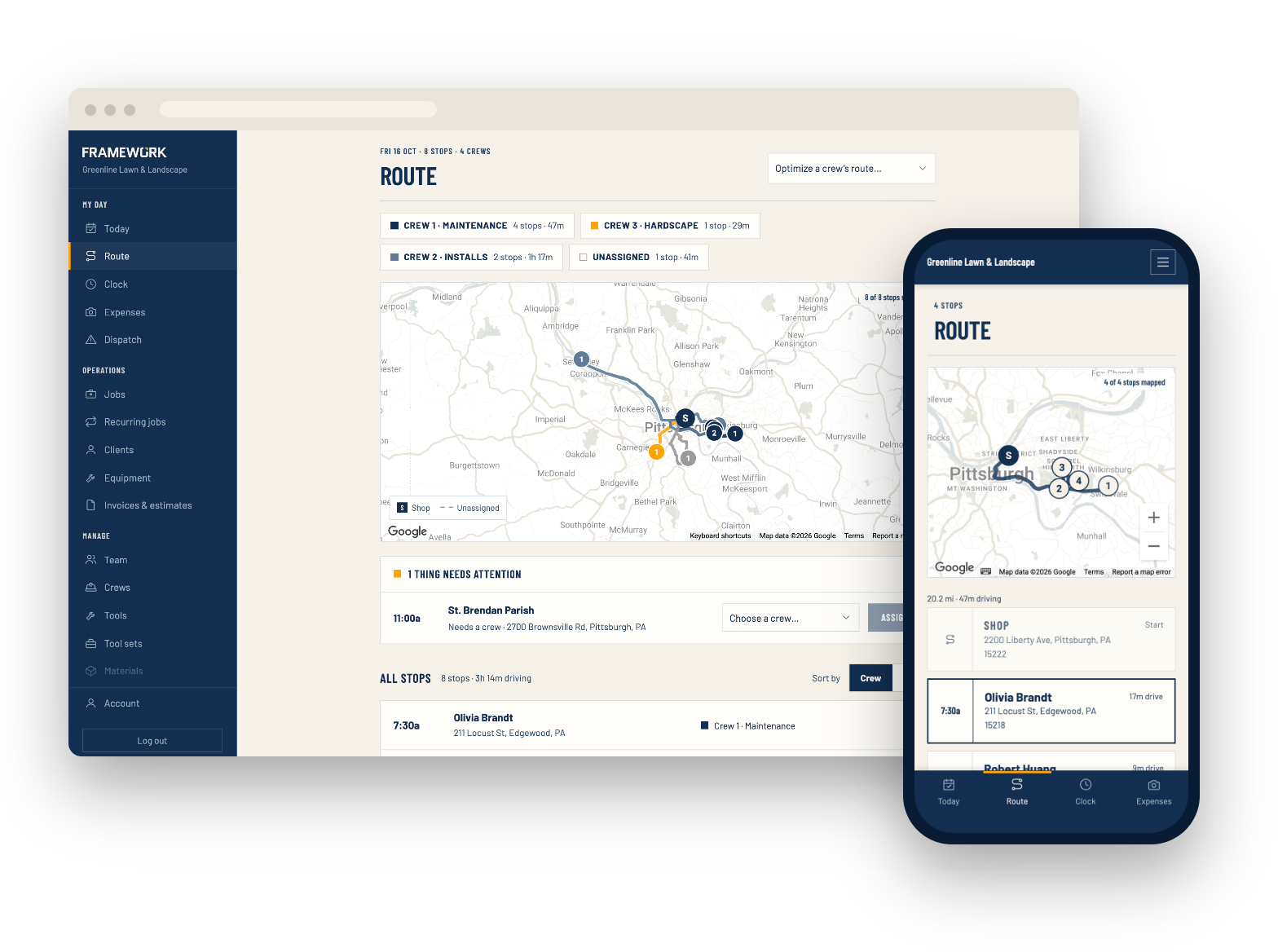
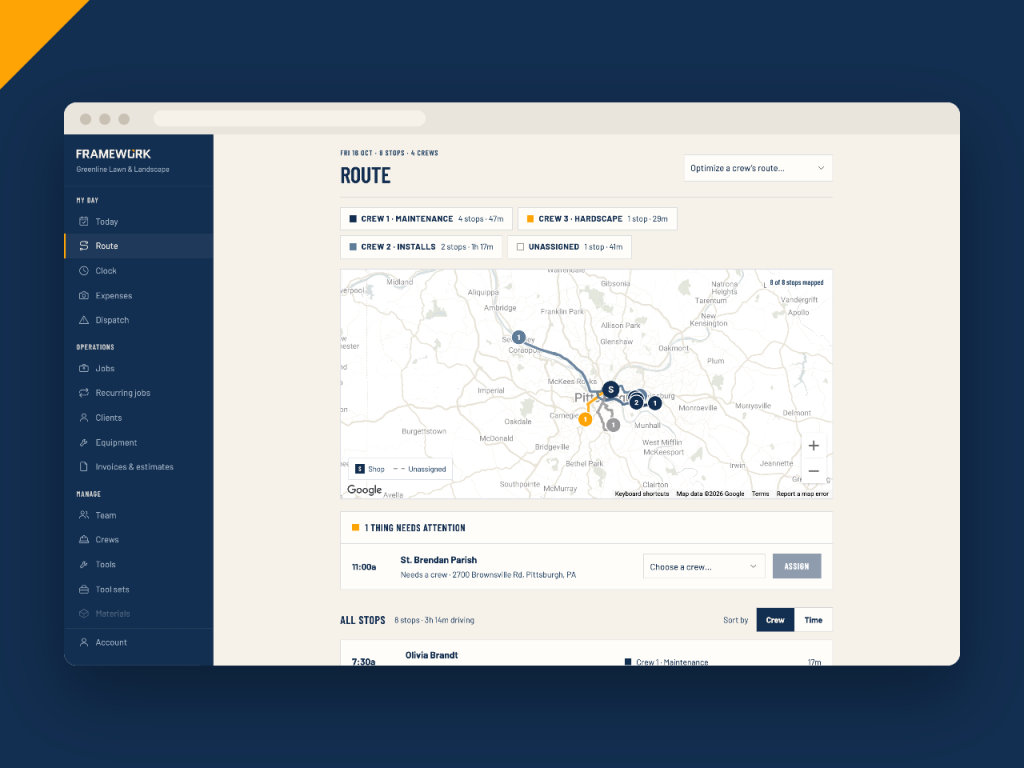
Every crew's day on one map
Each crew's stops and route are drawn in its own colour, with drive time between them and a total for the day. Jobs that still need a crew show up right there, and you can assign one on the spot.
- One colour per crew, with stops and drive times
- Tap a crew to show or hide it on the map
- Assign a crew to an unassigned job from the board
- Addresses far from the rest of the route get flagged
Route optimization
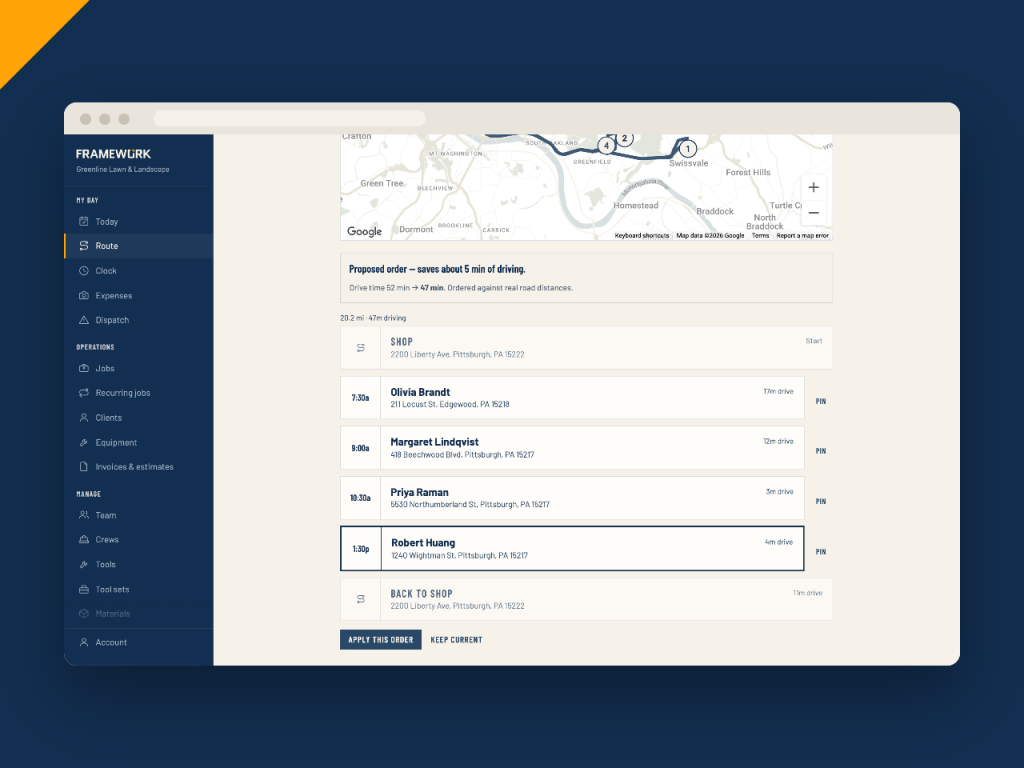
Find the best order in one click
Pick a crew and Framework works out the order of today's stops with the least driving, and shows how much time it saves before you change anything. The day keeps its time slots; the stops are dealt into them in the new order.
- Ordered by real road distances, or straight-line when stops are pinned
- Pin a stop to keep it where it is
- Warns when a stop would land outside its morning, afternoon or all-day window
- Nothing changes until you apply it
Crew travel
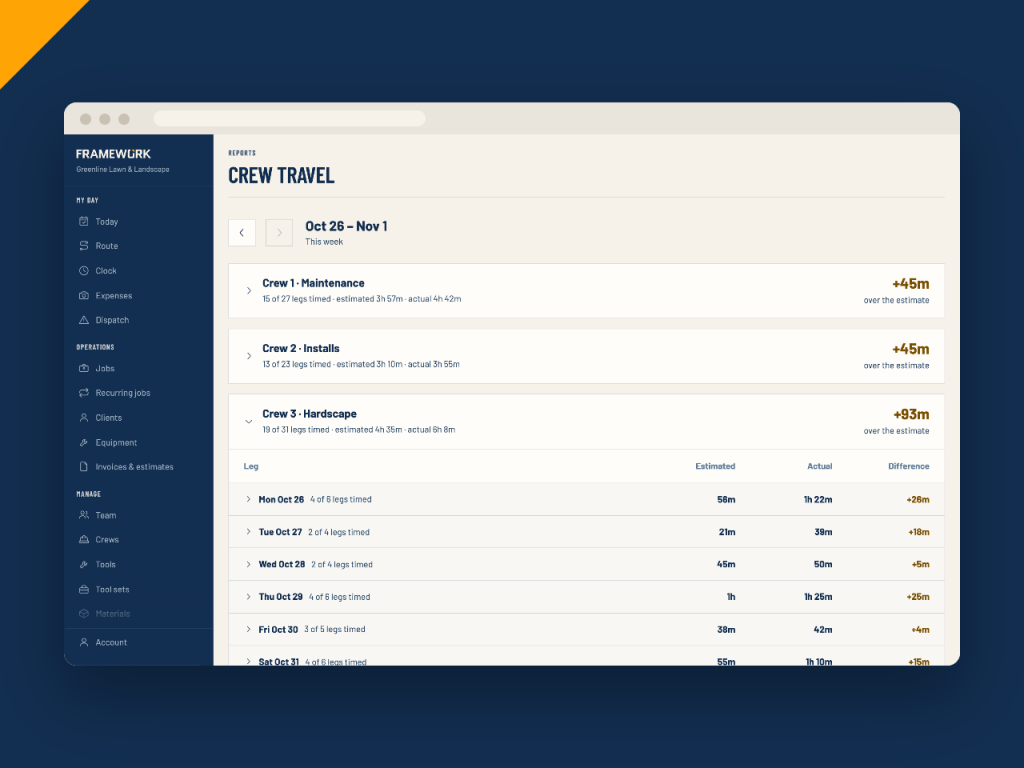
See where the day really goes
Compare each crew's estimated drive time with the actual gap between finishing one job and starting the next, week by week. Trips to and from the shop aren't timed.
- Estimated against actual, per crew
- Drill into each day and each leg
- See which crews and legs ran over the estimate
Also included
Small things that save miles
The route on their phone
Crews see their own stops in order on a map, with the drive time to each one.
One-tap navigation
Every job has a Navigate button that opens the address in Google Maps.
Each crew's own start point
Crews that leave from home or a yard get routes from there, not from the shop.
Arrival windows
Promise customers a window instead of an exact time. Morning, afternoon and all-day windows hold when the route changes.
Smart scheduling counts the drive
When it fills a crew's day, the driving between stops counts against the hours.
Addresses that map
Addresses are checked against the map as you enter them, so stops land in the right place.
Routing questions
Spend the day working, not driving
Put today's stops in the best order and send every crew out with the route.